
Skip to content
Friday, September 25, 2026
Display Mechanic

Display mechanic

Practical Screen Troubleshooting & Display Hacks

  • Categories
    • Spots and Dots
    • Lines and Streaks
    • Discoloration and Flickering
    • Physical Damage
    • Device Specific
    • Black Screen
  • Blogs
  • About Us
  • Contact Us
site mode button

Category: Black Screen

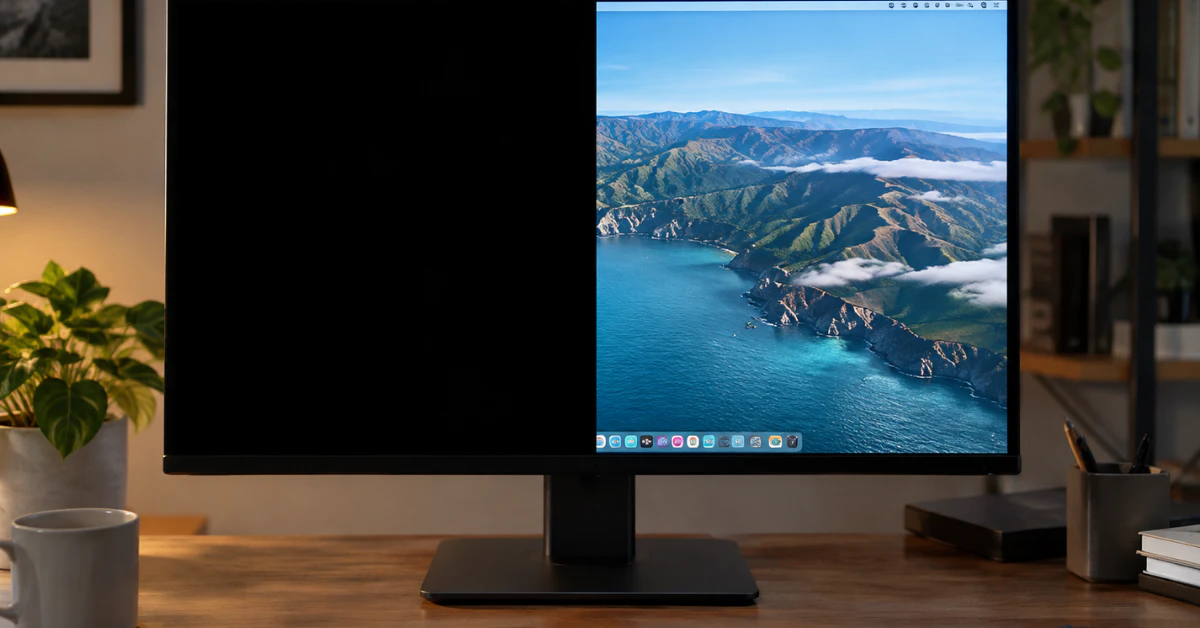
Desktop monitor displaying half black screen with other half showing normal desktop

Monitor Half Screen Black? 7 Tested Fixes Before You Replace It 

September 23, 2026September 23, 2026Barkat IqbalLeave a Comment on Monitor Half Screen Black? 7 Tested Fixes Before You Replace It 

Half your screen just went black, and you need it fixed now. Here is the fastest thing to try first. On a Windows computer, press Win + Ctrl + Shift + B all at the same time. Your screen will flash or go dark for a second, and you might hear a beep. This restarts […]

Continue Reading

Recent Posts

  • The Complete Guide to Fixing a White Spot on Your Lenovo Laptop Screen
  • Monitor Half Screen Black? 7 Tested Fixes Before You Replace It 
  • MacBook Pro Screen Heat Damage: An LCD Mechanic’s Guide to Signs, Causes & Fixes
  • MacBook Screen White Tint? The Ultimate $0 Fix & Brutal Truth 
  • How to Fix White Horizontal Lines on Your Phone Screen (Android & iPhone)

Categories

  • Black Screen
  • Device Specific
  • Discoloration and Flickering
  • Lines and Streaks
  • Physical Damage
  • Spots and Dots
Display Mechanic

Display Mechanic is your go-to resource for screen troubleshooting, practical tech hacks, and display optimization. From fixing dead pixels to enhancing monitor performance, we help you get the most out of your screens.

CATEGORIES

  • Spots and Dots
  • Lines and Streaks
  • Discoloration and Flickering
  • Physical Damage
  • Device Specific
  • Black Screen

OTHER PAGES

  • Blogs
  • About Us
  • Contact Us
  • Privacy Policy
  • Terms and Conditions
  • Disclaimer
© 2026 Display Mechanic. All Rights Reserved. | Theme: News Portal by Mystery Themes.