

Those white spots on your LCD screen are not a virus or software glitch. They are a hardware problem inside your screen’s backlight layer. The good news: you can identify the cause fast, and one fix works almost every time.
Your laptop or monitor uses layers of light and glass to show images. When something inside gets bumped, bent, or squeezed, one of those layers can shift out of place. That shift creates a bright, cloudy patch on your screen.
This problem has a real name in the tech world. Experts call it the Mura effect. It is a Japanese term used to describe uneven brightness or clouding on a display.
Here is why this matters right now. Many users try quick fixes like rubbing the screen or downloading a “pixel fixer” app. Neither one works, and one of them can make things much worse.
In this guide, you will learn exactly what causes white spots on LCD screen panels, how to tell them apart from dead pixels, and which fix actually solves the problem for good.
What Are the White Spots on My Screen? (Mura vs. Dead Pixels)
An LCD screen is built like a sandwich. Each layer has one job.
First, there is a backlight. This is the light source behind everything you see. Next comes a diffuser layer, which spreads that light evenly across the whole screen. On top sits the liquid crystal layer, which blocks or lets light through to form the picture.
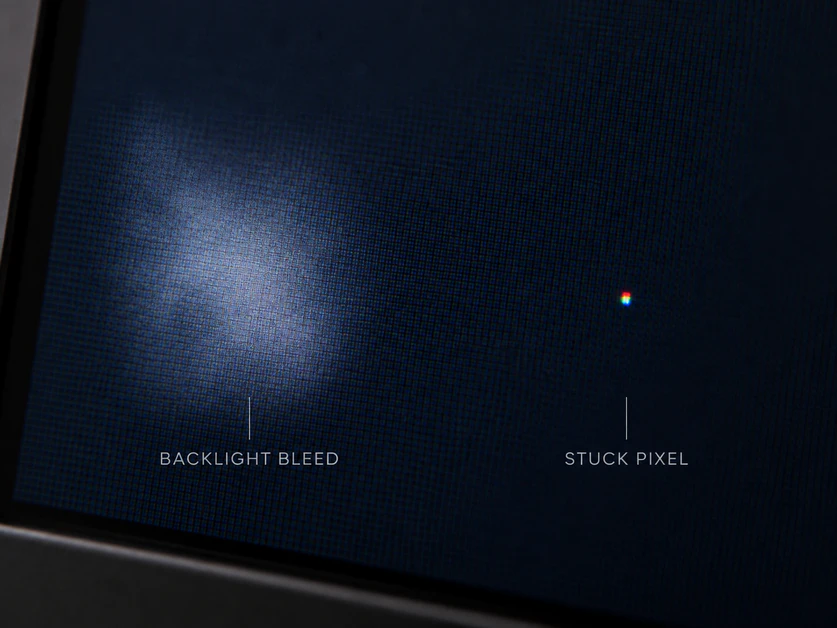
A bright spot on LCD screen panels usually means one thing. The diffuser or reflector sheet behind the glass has shifted, bent, or torn. Light is now leaking through unevenly in that one spot.
This is not random. It has a name. Engineers call this problem the Mura effect, a Japanese word used to describe patchy or uneven brightness on a display panel.
The liquid crystals themselves are almost never the cause. That is an important detail, because it changes how the screen can be fixed.
Many users confuse this with a dead pixel. They are not the same thing. Here is how to tell them apart:
| Feature | White Spot / Clouding (Mura) | Dead / Stuck Pixel |
| Size | Larger, cloud-like patch | Tiny, single dot |
| Shape | Blurry, soft edges | Sharp, fixed square |
| Cause | Damaged backlight diffuser | Faulty transistor in one pixel |
| Color | Usually white or gray | Black, red, green, or blue |
| Visibility | Changes slightly with angle or pressure | Stays exactly the same always |
| Behind the spot | You can often still see part of the image | Image is fully blocked at that one point |
If you can still faintly see content behind the mark, and it looks more like a cloud than a dot, you are likely dealing with backlight damage. That points to a hardware issue, not a pixel-level defect.
Top Causes: Why Do White Dots Appear on Displays?

Most screen damage comes down to one simple thing: pressure. Your laptop screen is thinner and more fragile than most people realize.
1. Physical Pressure (The #1 Cause)
This is the most common reason behind white dots on screen Windows 10 laptops report. Carrying a laptop in a backpack packed with heavy books puts constant force on the screen.
- Stacking books or a charger directly on top of a closed laptop
- Squeezing a laptop into a tight bag with no padding
- Sitting or leaning on a closed lid
- Closing the lid on a small object like a pen or earbud
Even light pressure applied over weeks can slowly push the diffuser layer out of place. By the time you notice the spot, the damage is already done.
2. Heat Damage
Heat can warp the thin plastic sheets inside your display over time. Leaving a laptop in a hot car, near a heater, or under direct sun for long periods adds up. The materials inside expand slightly, and that can shift internal layers.
3. Aging and Component Wear
Screens are not built to last forever. After years of use, backlight components can naturally weaken or loosen. This is more common in laptops older than 4 to 5 years.
4. Manufacturing Defects
Sometimes the problem starts at the factory. A diffuser sheet installed slightly off-center may look fine at first. Small vibrations from shipping or daily use can reveal the flaw weeks or months later.
Most brands, including HP, note that physical damage from pressure is a leading cause of internal display issues and is often treated differently from manufacturing defects under warranty. That distinction matters when you file a claim later in this guide.
If you want to understand your laptop’s internal layout before attempting anything yourself, iFixit offers detailed teardown guides for most major laptop brands. Seeing the actual layers can help you understand why pressure causes this exact type of damage.
Knowing the cause matters. It decides whether your fix is covered by warranty, or whether you are looking at an out-of-pocket repair.
How Can I Fix a White Spot on My LCD Screen?
Search online and you will find dozens of “quick fixes.” Almost none of them work, and some can make things worse.
The Massaging Myth
A popular trick tells people to press or rub the spot with a soft cloth. This is bad advice. Pressing on the screen can crack the delicate TFT glass underneath, or push the damaged diffuser layer even further out of place.
What starts as one small white spot can turn into a larger crack or a bigger cloudy patch. If you take one thing from this guide, let it be this: never press on a white spot on LCD screen panels, no matter what a forum post says.
Why Software Fixes Don’t Work
Apps like JScreenFix are built to fix stuck pixels. They flash rapid colors to “unstick” a pixel’s signal. That method works on a completely different problem.
A white spot is not a signal issue. It is a physical, hardware-level problem in the backlight layer. No app, download, or setting can move a physical sheet of plastic back into place. Software simply cannot reach that part of the screen.
The Only Two Real Solutions
Once physical damage has occurred, you have two honest options:
- Live with it. If the spot is small, sits in a corner, or barely affects your daily use, many people simply continue using the device.
- Replace the LCD panel. This is the only fix that removes the spot completely and permanently.
There is no in-between fix. No calibration setting or driver update changes a damaged backlight layer.
What a Screen Replacement Actually Involves
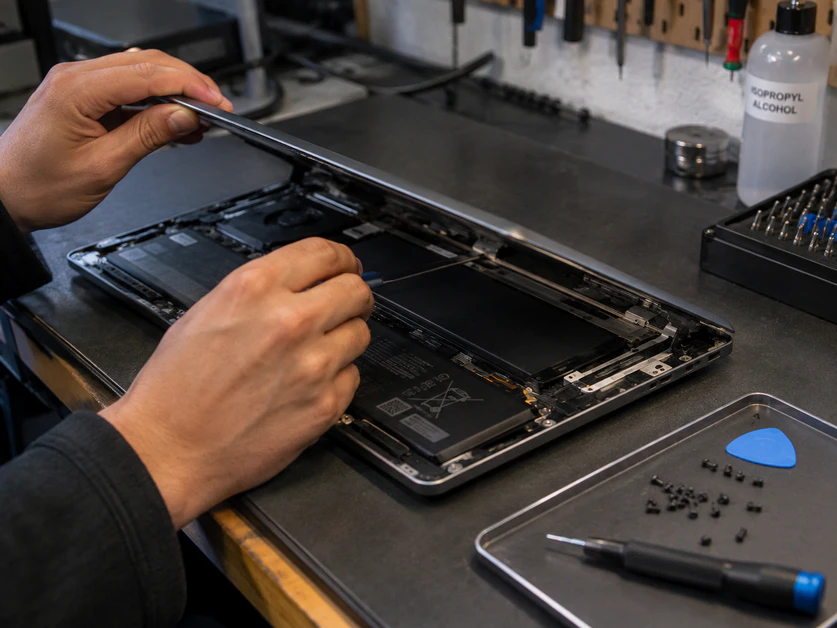
A proper white spot on laptop screen fix means swapping out the entire LCD panel. This is not a simple task for most people.
A technician will typically:
- Remove the bezel and disconnect the old panel
- Install a new, compatible LCD panel
- Reconnect internal cables and test the display
This job requires the correct replacement panel for your exact model, along with proper tools to avoid damaging other parts. For those who want to attempt this themselves, iFixit offers model-specific repair guides that show the full process.
For most users, though, this is a job best left to a certified repair center or your device manufacturer.
Device-Specific Issues: Laptops, Phones, and Monitors
Not every device faces this problem the same way. The cause often depends on how thin or fragile the screen is.
White Spot on Laptop Screen HP & Others
Thin laptops are more likely to get white spots. Models like the HP Envy, HP Spectre, and MacBook Air use very slim lids. That slim design looks great, but it leaves less room to protect the screen.
Here is the problem. When you close these laptops, the lid sits very close to the keyboard. If even one small object, like a coin or a pen cap, gets trapped between them, the pressure lands directly on the screen.
Over time, this can create a lasting white spot on laptop screen HP users often report in tech forums. Keyboard keys can leave marks too, especially on laptops with raised keys and thin bezels.
A simple habit helps prevent this. Always check your keyboard area for small objects before closing the lid.
White Spot on Screen Android & Phones
Phones face a different kind of pressure problem. Most white spot on screen Android complaints trace back to two causes: drops and swollen batteries.
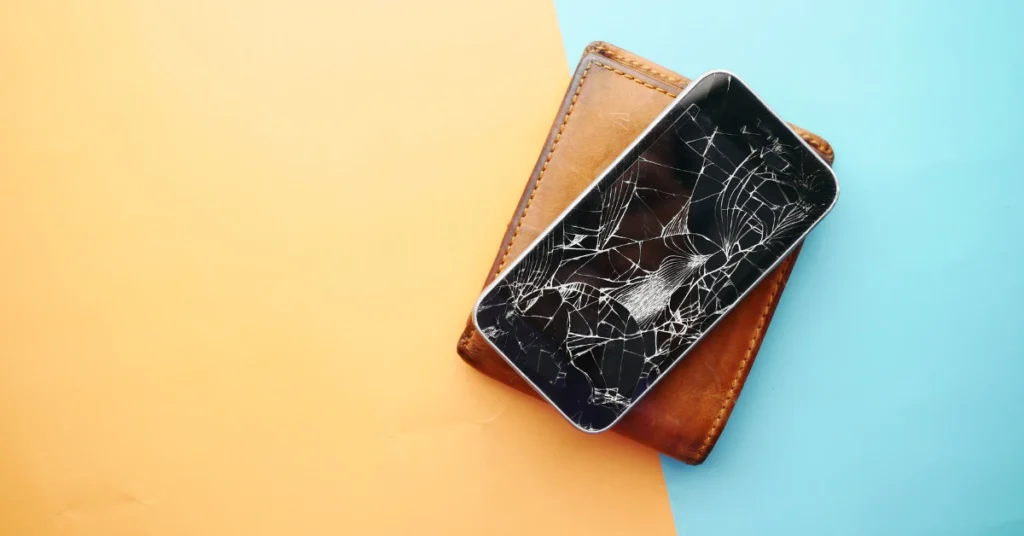
A hard drop can crack internal layers even when the outer glass looks fine. The impact can shift the screen’s internal layers just enough to create a bright patch.
Swollen batteries are a separate issue. Old or damaged batteries can expand slightly inside the phone. That swelling pushes upward against the back of the screen from the inside.
This creates growing pressure over days or weeks. A white or rainbow-colored spot often appears first near the edges, where the pressure builds fastest.
If your phone case feels tight to remove, or the back of your phone looks slightly puffed up, stop using it right away. A swollen battery is a safety risk, not just a screen problem. Get it checked by a professional as soon as possible.
What Are the Signs of a Failing LCD Screen?
A white spot is often just the first warning sign. If the backlight keeps getting damaged, other symptoms can follow.
Watch for these common signs when checking what are the signs of a failing LCD screen:
- Flickering that comes and goes, especially when you move the lid
- Colors that look faded, yellow-tinted, or washed out
- Thin lines running across the screen, horizontal or vertical
- Dark patches that slowly grow larger over weeks
In the worst cases, a screen can fail completely. This is sometimes called the black screen of death, where the display shows no image at all, even though the device still turns on. That is usually the final stage of backlight or panel failure.
How to Prevent Screen Backlight Damage
Most screen damage is preventable. A few simple habits go a long way.
- Use a hard-shell case for laptops, not just a soft sleeve
- Never stack books, chargers, or other items on a closed laptop
- Check your keyboard area for small objects before closing the lid
- Avoid leaving devices in hot cars or under direct sunlight
- Replace an aging phone battery before it starts to swell
- Carry laptops in a padded compartment, away from heavy items
Small changes in daily habits protect the fragile layers inside your screen. Prevention costs nothing. Replacement does.
Frequently Asked Questions
Does warranty cover white spots on a screen?
It depends. Manufacturing defects are often covered. Damage from pressure or drops usually is not.
Can a white spot spread over time?
Yes. Pressure or heat can cause the damaged area to slowly grow larger.
Is a white spot the same as a dead pixel?
No. A dead pixel is one tiny dot. A white spot is a larger, cloud-like patch.
Can I fix it myself at home?
Only a full panel replacement fixes it. This is best done by a trained technician.
Do pixel-fixing apps help?
No. These apps only target pixel signals, not physical backlight damage.
Should I keep using a device with a small spot?
If it’s minor and doesn’t bother you, many people continue using their device safely.
Final Thoughts
A white spot is frustrating, but it’s not mysterious. Now you know the cause, the myths, and the real fix. Handle your screen gently, and it will last much longer.